


To make Instagram carousels with AI that look on-brand, connect Claude to Canva and have it build inside a template you already designed, using photos you already own. Claude skills write the hook, the slides and the call to action, then save finished copies into Canva so your original template never gets touched.
If you’ve ever opened Canva to make 1 carousel and looked up an hour later with 2 slides done, you know exactly where the time goes. Every carousel means writing the hook, writing the slides, hunting for photos that fit and nudging text boxes around until nothing overlaps, and that’s the work I don’t do by hand anymore.
I typed 1 prompt and got back 5 finished Instagram carousels for my 2-Hour Brand Book, which has over 2,200 buyers, built inside my own Canva template with my own photos and a call to action that’s ready to post. I’ve spent 15 years in marketing and taught 23,000 entrepreneurs, and every one of these carousels came from Claude skills I set up with what I know about writing posts that stop the scroll.
Why do AI-designed carousels usually look cheap?
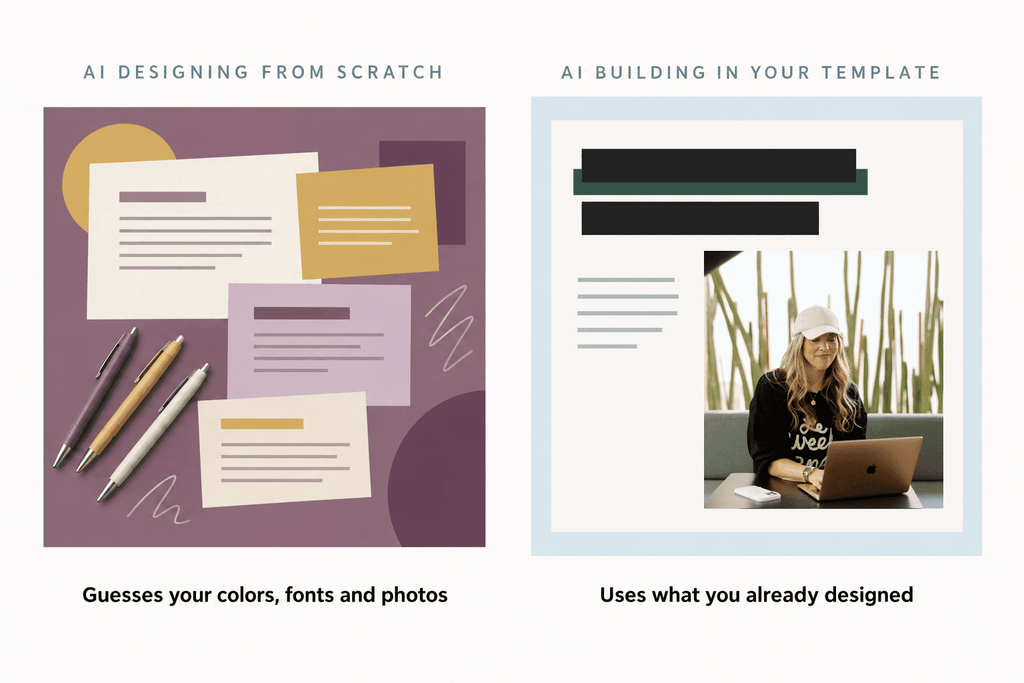
AI-designed carousels look cheap when the AI designs from scratch, because it has to guess at your colors, fonts, layout and photos.
The first time I asked Canva’s own AI generator to make a carousel, it handed me the wrong colors, tiny text and a random stock photo of pens. Gorgeous. The fix wasn’t a better generator. It was never letting AI design from scratch in the first place, and giving it a template and photos I’d already chosen so there was nothing left for it to guess.
What do you need set up before Claude can build carousels in Canva?
You need a Canva template you designed, a folder of your own photos, the Canva connector in Claude and a small set of Claude skills.
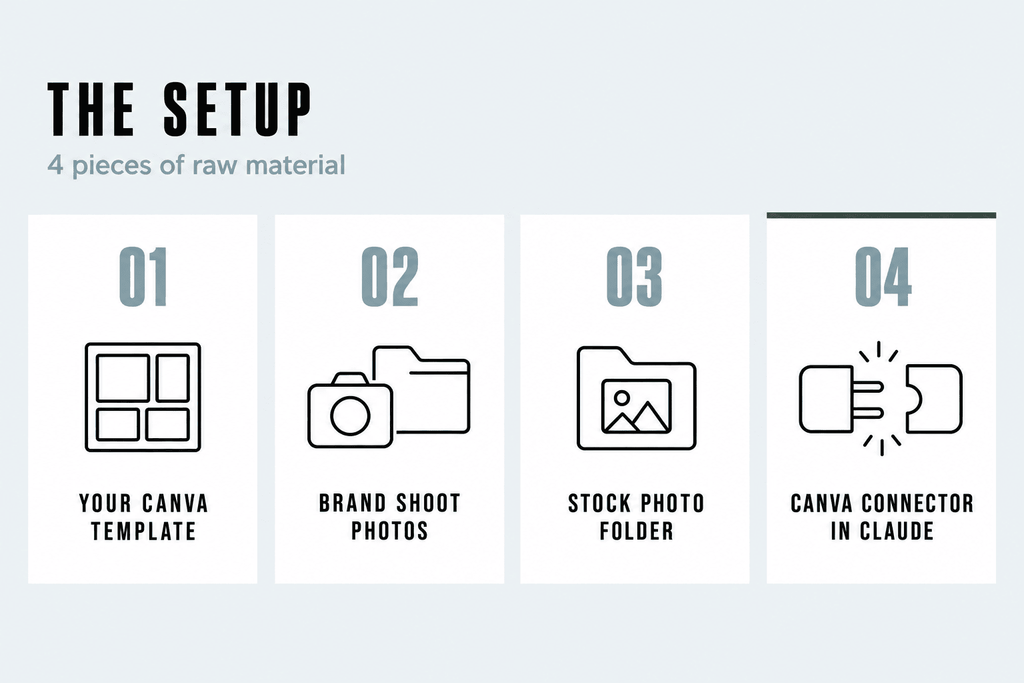
My setup has 4 pieces of raw material:
- A Template in Canva that I designed once, with my fonts, my colors and my layout. It’s the only template these carousels get built in.
- A photoshoot folder with photos from my brand shoot, used for the cover slides.
- A stock photo folder for everything else.
- The Canva connector turned on in Claude, so Claude can make copies of the template and fill them in.
That raw material is the reason what comes back looks like my brand instead of like AI. If you’re starting from zero, this is your to-do list: a template you love, a folder of your own photos, and the skills to put it all together.
🎁 Want the full picture of how I’ve set up Claude to run my marketing? I walk through the whole system, including the skills in this article, in my free AI workshop. Grab the free AI workshop here.
What are Claude skills, and which ones build the carousels?
A Claude skill is a set of instructions you give Claude once, so it does a specific job well every time without you re-explaining it.
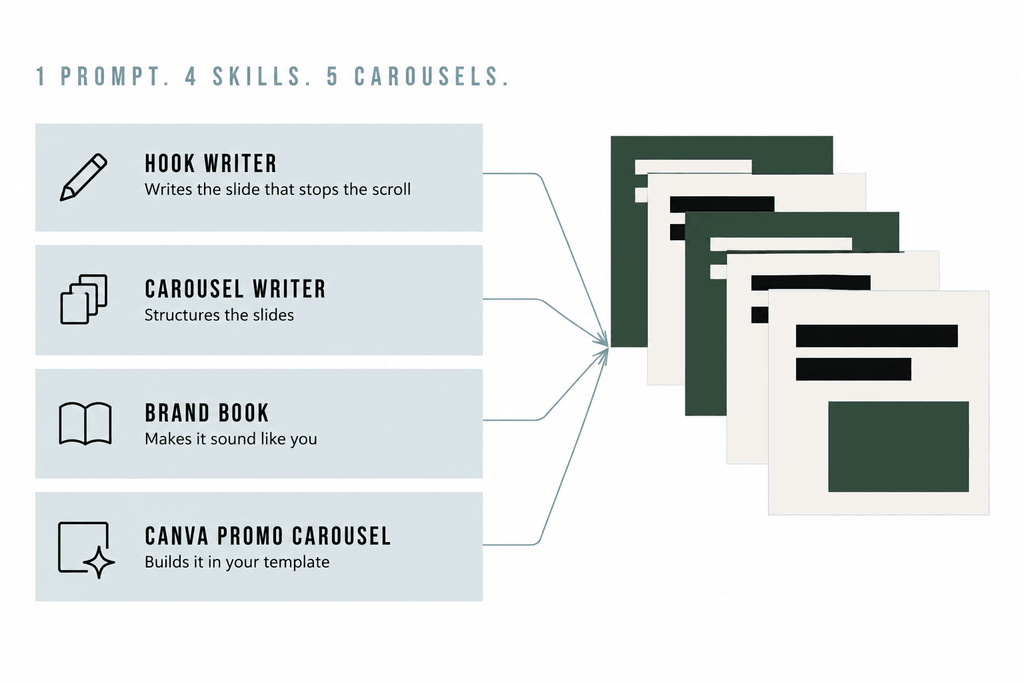
I use 4 skills for carousels, and each one knows its own part of the job:
- Hook writer knows how to write a first slide that stops the scroll.
- Carousel writer knows how to structure the slides so the story lands.
- Brand book makes sure all of it sounds like me.
- Canva promo carousel holds the production rules, like where the photos come from, how to keep headlines from drifting, how to size the highlight bar to fit the text, and to always work on a copy so the original template never gets touched.
What prompt turns 1 request into 5 carousels?
The prompt names each skill with a slash, sets the 3-slide structure and asks Claude to preview everything before saving it to Canva.
Here’s the prompt:
Use /canva-promo-carousel to make 5 promo carousels for the 2-Hour Brand Book (gemmabonhamcarter.com/brand). Write the copy with /hook-writer /carousel-writer and /brand-book.

Each carousel is 3 slides only: the hook, the context that closes the loop, and the BRAND100 CTA. Don't ask me any questions first.

When they're done, show me a preview of each one, then save all 5.
Every slash is me naming a skill, so Claude knows exactly which ones to use. I’m not telling it how to write a hook, how many words go on a slide or where the photos live, because the skills already know all of that. The last line matters more than it looks, because Canva doesn’t show any changes until the designs are saved, so asking for previews first and then a save means everything is waiting for you when you open Canva.
What makes a 3-slide Instagram carousel work?
A 3-slide carousel works when slide 1 hooks, slide 2 pays off that hook fast, and slide 3 tells people exactly what to do next.
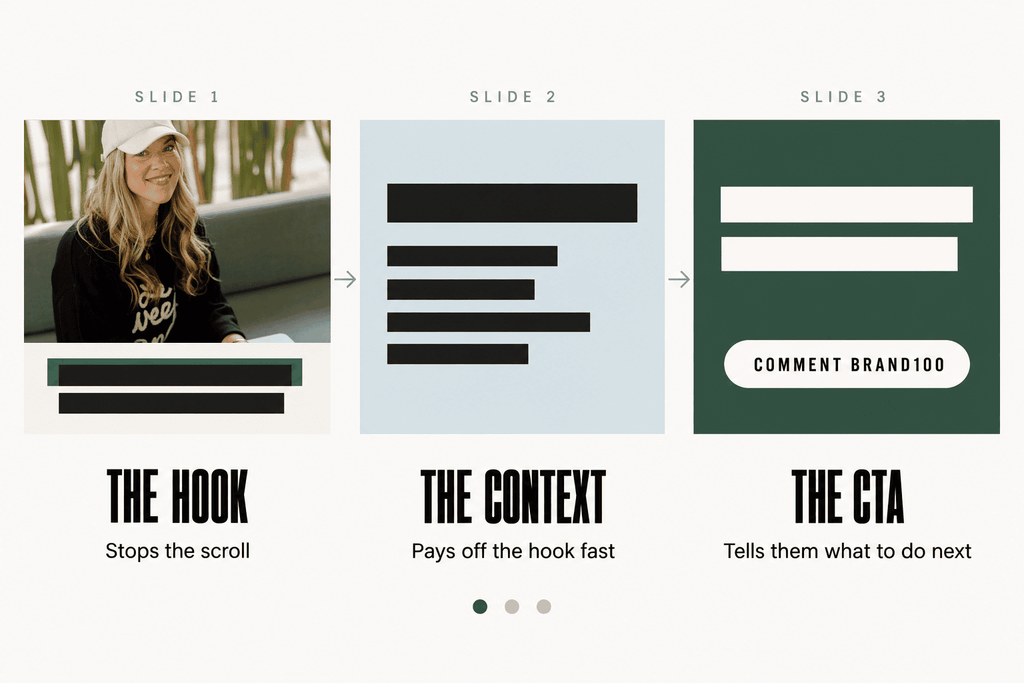
Slide 1: the hook
The first slide is the only one that matters if nobody swipes, so I look at the hooks before anything else. The 5 carousels came back with 5 different angles on the same product, which is exactly what you want, because posting the same pitch 5 times in a row gets ignored.
Slide 2: the context that closes the loop
The second slide closes the loop the hook opened. The hook makes a promise and this slide pays it off quickly, so people keep going instead of feeling baited.
Slide 3: the call to action
The last slide tells people exactly what to do, which in my case is comment BRAND100. That’s my real ManyChat keyword, so these carousels aren’t demo props. They’re posts I can publish.
What happens when you open the carousels in Canva?
The finished carousels show up in Canva as saved copies of your template, and the original template stays exactly as you left it.
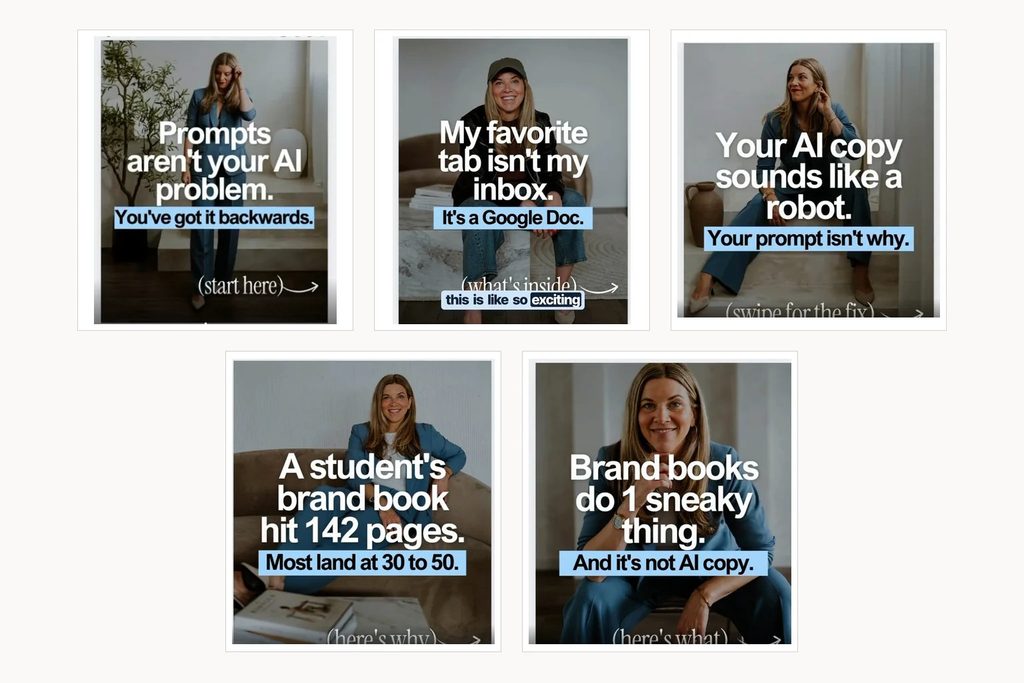
From there, you can flip through all 5 and ask Claude for a change out loud, like swapping the cover photo on 1 carousel, and watch it update. Because the skill always works on a copy, there’s no risk to the template you spent time designing.
How do you get the best results from Claude and Canva?
Run it in a fresh chat, test your Canva connection first, ask for previews before saving and give the build time to finish.
A few things I’ve learned from running this workflow:
- Start a fresh chat with nothing else in it, so the skills are doing the work on their own rather than leaning on earlier conversations.
- Test the Canva connection first. It has failed with an “unable to reach Canva” error before, so do 1 quick test edit before you start a big batch.
- Ask for previews, then a save. Canva won’t show changes until the designs are saved, so opening it mid-build shows your blank template and looks like it failed.
- Expect it to take a while. Building 15 slides involves a lot of back and forth with Canva, so let it run while you do something else.
Why do these carousels look like a brand instead of a template?
They look on-brand because Claude works inside your own template and photos, while your brand book tells it exactly how you sound.
Claude isn’t designing anything from scratch, so there’s nothing left for it to guess. The skills handle the rest, because each one already knows its part of the job, from writing a hook that stops the scroll to sizing the highlight bar so it fits the text. That’s the difference between posts that look like a robot made them and posts that look like you have a designer on retainer, and skills like these are exactly what I build and teach inside AI All Stars.
Frequently asked questions
Will Claude overwrite my Canva template?
No. The Canva promo carousel skill always works on a copy, so your original template stays untouched.
Do I need my own photos to make AI carousels look on-brand?
Yes, and they’re a big part of why it works. I use 1 folder of brand shoot photos for covers and 1 folder of stock photos for the rest.
Why can’t I see the carousels in Canva while Claude is building them?
Canva doesn’t show changes until the designs are saved. Ask Claude to show you previews first and then save all of them, and they’ll be there when you open Canva.
How many slides does each carousel have?
In this workflow, each carousel is 3 slides: the hook, the context that closes the loop and the call to action.
What if Claude can’t connect to Canva?
Test the connection with 1 quick edit before you start. The connector has thrown an “unable to reach Canva” error before, and a quick test catches it before you’re waiting on a full batch.
Your next step
If your carousels are stuck at 2 slides an hour, the fix is a template you love, a folder of your own photos and skills that already know how to write, structure and build the post. The best way to see how all of my skills fit together, from carousels to emails to sales pages, is my free AI workshop.
Where to go next
- The Brand Book: The Missing Piece in Every AI Assistant: Why the brand book skill is the reason these carousels sound like you.
- How to Train AI to Write in Your Brand Voice (So It Actually Sounds Like You): For when every AI draft still needs a full rewrite before it can go out.
- Kit MCP: The Complete Guide to AI-Powered Email Marketing: The same connect-Claude-to-your-tools idea, applied to your email list.
- Does Your Content Have Soul? The New Marketing Test: What AI should build for you, and what still has to come from you.
How to Make Instagram Carousels With AI That Still Look Like Your Brand